Breaking the Flat File System: How to Build a 3D Knowledge Graph for AI Context Management
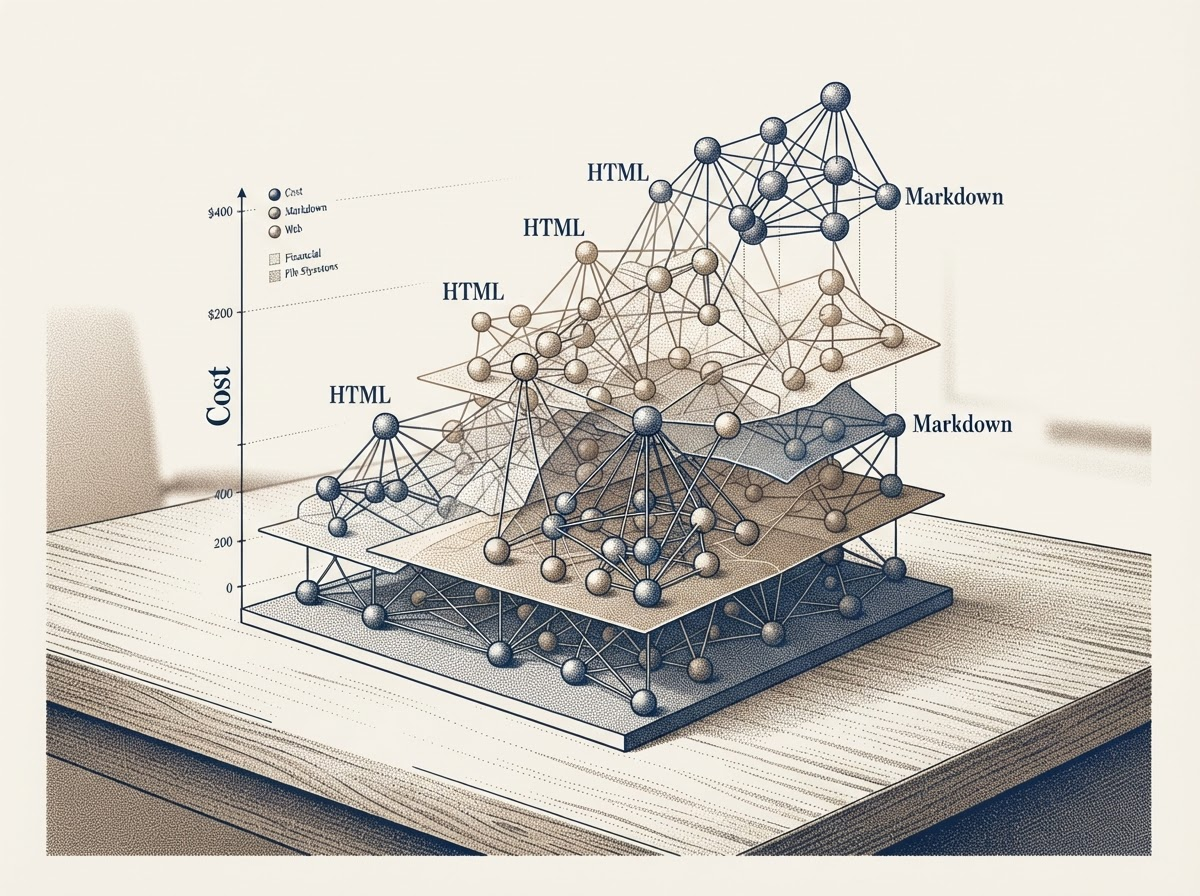
If you have ever tried to organize a massive digital library or a “second brain,” you have likely encountered the limitations of modern knowledge graphs. Popular note-taking applications like Obsidian have popularized the concept of linking thoughts together, creating visual webs of information. However, as these databases grow, they often devolve into flat, 2D clusters of nodes. For many users, navigating a sprawling, unorganized 2D graph feels claustrophobic and overwhelming. Instead of clarifying information, it obscures it in a tangled web of overlapping connections.
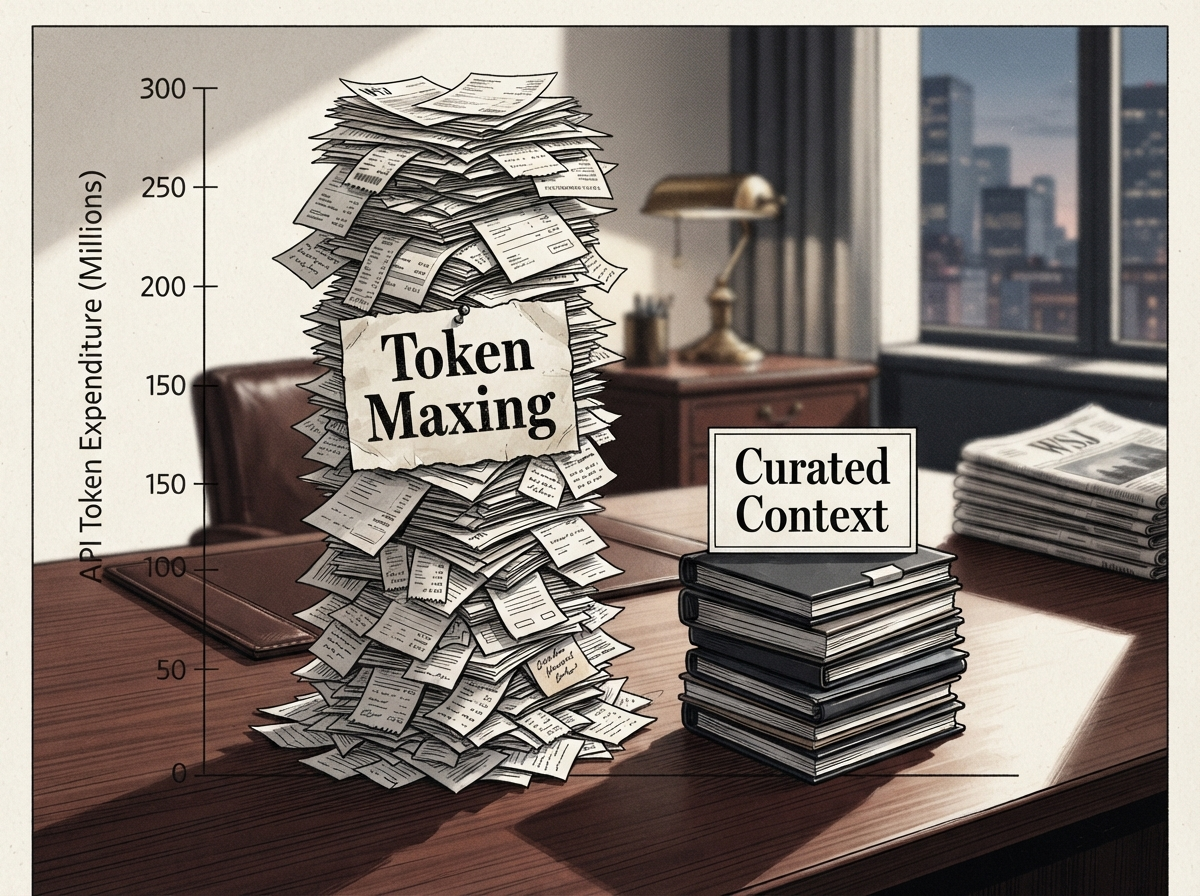
Beyond the user experience issues, there is a hidden financial reality to managing massive knowledge bases in the age of Artificial Intelligence: the cost of processing context. In the tech industry, a trend known as “token maxing” has emerged. Token maxing occurs when users with deep pockets feed their entire, uncurated knowledge graph—comprising thousands of files—into an AI model, asking the AI to iterate, understand, and sort the data. Because AI models charge by the “token” (chunks of words or data), this brute-force approach burns through API credits at an astonishing rate.
For 99% of the population, burning hundreds of thousands of tokens to make sense of a messy digital workspace is simply not financially viable. It is a lazy approach reserved for those who can afford massive API bills. The alternative is not to abandon AI, but to rethink how we structure, store, and feed our data to these models. By moving away from flat files and embracing a 3D, interactive file system, we can take control of our data, optimize our token usage, and build tools that actually serve our specific needs.
The Human-AI Format Spectrum
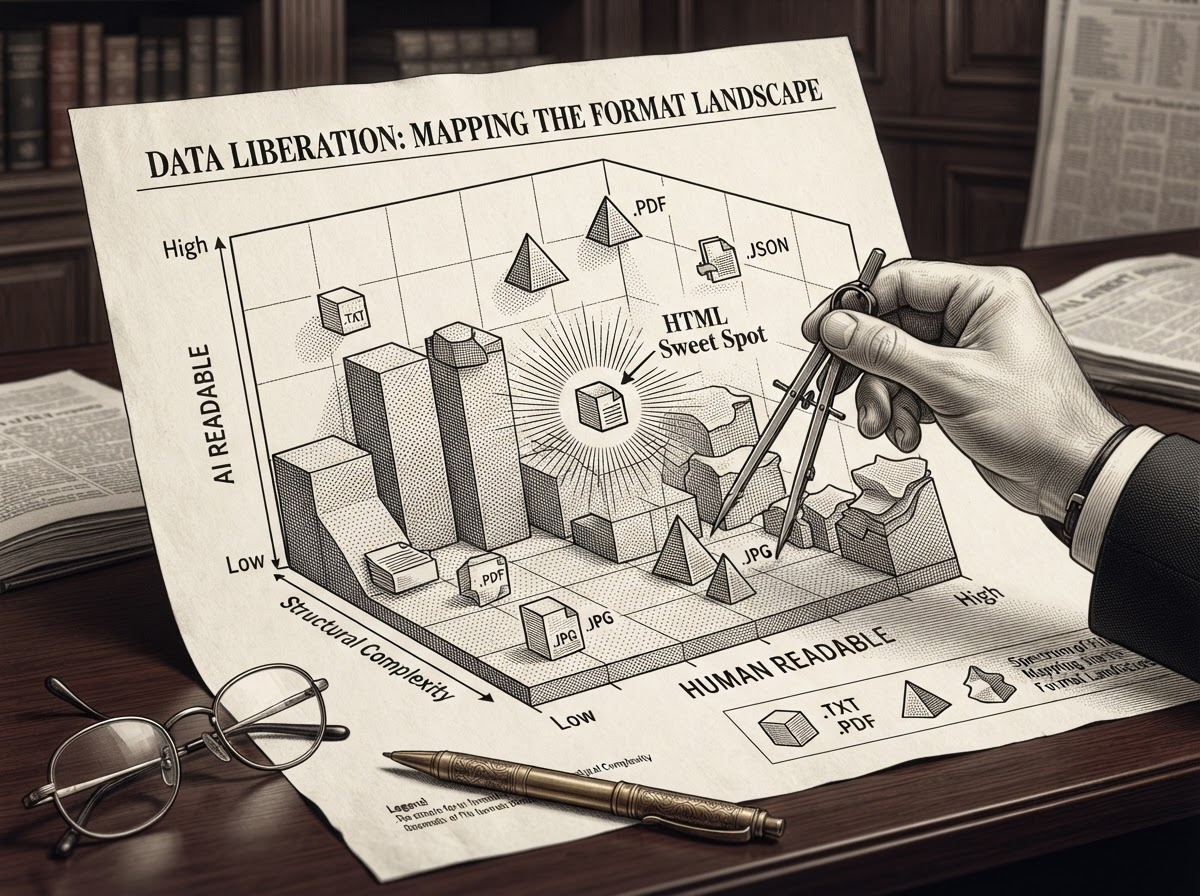
To understand how to build a better knowledge graph, we first have to look at the building blocks of our data: file formats. Not all file formats are created equal, especially when it comes to how easily they can be read by a human versus how easily they can be processed by an AI. We can map digital formats on a spectrum ranging from highly AI-friendly to highly human-friendly.
At the far end of the AI-friendly spectrum is plain text. Plain text is incredibly simple; it is just a string of tokens. AI models can ingest and process plain text rapidly and cost-effectively. However, for a human reader, plain text is visually dense, unformatted, and difficult to skim for hierarchical information. Moving slightly up the spectrum, we find Markdown. Markdown introduces basic styling—such as headers, bold text, and bullet points—making it slightly more human-readable while remaining very easy for an AI to parse.
On the opposite end of the spectrum, we have formats like PNGs (images) and MP4s (video). These formats are incredibly information-dense and engaging for humans. We can watch a video and instantly grasp complex spatial and emotional contexts. For an AI, however, ingesting and reasoning through an entire video file all at once is computationally heavy and complex.
So, where is the middle ground? What format achieves the perfect balance between human readability and AI efficiency? The answer is HTML. HTML acts as the ultimate bridge format. Because HTML is essentially code, it is highly structured and AI-friendly. The AI can easily parse the tags, relationships, and text without having to “read” unnecessary visual rendering data. At the same time, HTML is visually understandable for humans. It can be styled, it can render complex layouts instantly in a browser, and it allows for interactive elements like expanding or hiding details. By utilizing HTML as a primary storage and sharing format, you reduce the reasoning surface for the AI while maintaining a rich, interactive experience for the human user.
Building the 3D Knowledge Graph
Recognizing the need for a better system, developers are beginning to experiment with hybrid file architectures. Imagine a system that combines the best parts of Figma, the Apple Finder, and Obsidian.
From Figma, you take the concept of spatial connectivity—the ability to visually relate frames, nodes, and files together on a canvas, prototyping connections manually. From Finder, you take the intuitive, folder-based user interface where files can be viewed and resized to fit any angle, allowing users to understand a folder’s contents without opening each file individually. From Obsidian, you take the underlying logic of the knowledge graph, but elevate it from a flat 2D plane into a 3D space where layers represent specific nested folders and hierarchies.
Building this interactive file system requires a lean but robust tech stack. A typical architecture might utilize a GitHub repository for version control, connected to a PostgreSQL database to handle the metadata, and a storage bucket like MinIO (an S3-compatible object storage system) to hold the actual file bytes. In this setup, the metadata lives in the database while the heavy lifting of file storage is handled by the bucket. When a user views their workspace, the system quickly grabs the metadata to render the UI instantly, fetching the actual bytes in the background only when necessary.
Crucially, this system must prioritize human intent over AI automation. When visualizing the 3D knowledge graph, the system can attempt to index all files using basic keyword and metadata matching. However, this often results in a “soup of confusion.” To solve this, the system allows users to manually map complex folders and connect nodes. These manual connections are visually distinct (e.g., solid arrows) and are strictly prioritized over AI-generated connections (e.g., dotted lines). The core philosophy is simple: the human dictates the structure, and the AI assists, never the other way around.
Context Management and Token Economics
Why go through the trouble of building a 3D, manually curated knowledge graph? The primary benefit comes down to context management and token economics.
If you have used memory features in popular AI chatbots, you have likely experienced “context poisoning.” This happens when the AI brings up random, irrelevant facts from past conversations or unrelated files, confusing the current task. When you dump an entire uncurated folder into an AI, you are not just burning money; you are actively degrading the quality of the AI’s output by overwhelming it with noise.
A 3D knowledge graph solves this by acting as a highly precise, visual selection tool. Instead of relying on the AI to sort through thousands of files to find what is relevant, the human user—who understands their own multifaceted roles as a designer, researcher, or builder—can visually navigate the graph. You can double-click a node to select it, double-click again to expand the selection to its immediate neighbors, and easily deselect any branches that might poison the context of your current prompt.

Once you have visually cherry-picked the exact context you need, you can package those selected files into a single zip archive. Instead of sending thousands of API requests to a costly backend, you simply drop that highly curated zip file into a standard $20-a-month consumer AI subscription. You get the exact same, if not better, contextual understanding from the AI, but you operate entirely within a flat-fee structure. By using your own human intelligence to select the context, you bypass the need for expensive “token maxing.”
Conclusion
The current landscape of AI tools heavily favors the top 1% of highly technical users who can build autonomous agents and afford massive API costs. But the future of personal computing lies in empowering the other 99% to use AI to build custom, highly specific tools for their own workflows.
There is a psychological phenomenon known as the “IKEA furniture effect,” which states that people place a disproportionately high value on things they successfully put together themselves. The same applies to digital workspaces. A generic, off-the-shelf knowledge management tool will never perfectly fit your unique mental models or workflows.
By understanding the underlying mechanics of file formats, leveraging HTML as a bridge, and building visual, 3D tools for context selection, non-technical users can take back control of their data. You do not need to be a Silicon Valley millionaire to harness the full power of AI. With a $20 subscription, a bit of clever system design, and a refusal to rely on lazy, brute-force data processing, you can build an interactive file system that actually works the way your brain does.

Breaking the Flat File System: How to Build a 3D Knowledge Graph for AI Context Management
If you have ever tried to organize a massive digital library or a "second brain," you have likely encountered the limitations of modern knowledge graphs. Popular note-taking applications like Obsidian have popularized the concept of linking thoughts together, creating visual webs of information. However, as these databases grow, they often devolve into flat, 2D clusters of nodes. For many users, navigating a sprawling, unorganized 2D graph feels claustrophobic and overwhelming. Instead of clarifying information, it obscures it in a tangled web of overlapping connections.
Beyond the user experience issues, there is a hidden financial reality to managing massive knowledge bases in the age of Artificial Intelligence: the cost of processing context. In the tech industry, a trend known as "token maxing" has emerged. Token maxing occurs when users with deep pockets feed their entire, uncurated knowledge graph—comprising thousands of files—into an AI model, asking the AI to iterate, understand, and sort the data. Because AI models charge by the "token" (chunks of words or data), this brute-force approach burns through API credits at an astonishing rate.
For 99% of the population, burning hundreds of thousands of tokens to make sense of a messy digital workspace is simply not financially viable. It is a lazy approach reserved for those who can afford massive API bills. The alternative is not to abandon AI, but to rethink how we structure, store, and feed our data to these models. By moving away from flat files and embracing a 3D, interactive file system, we can take control of our data, optimize our token usage, and build tools that actually serve our specific needs.
The Human-AI Format Spectrum
To understand how to build a better knowledge graph, we first have to look at the building blocks of our data: file formats. Not all file formats are created equal, especially when it comes to how easily they can be read by a human versus how easily they can be processed by an AI. We can map digital formats on a spectrum ranging from highly AI-friendly to highly human-friendly.
At the far end of the AI-friendly spectrum is plain text. Plain text is incredibly simple; it is just a string of tokens. AI models can ingest and process plain text rapidly and cost-effectively. However, for a human reader, plain text is visually dense, unformatted, and difficult to skim for hierarchical information. Moving slightly up the spectrum, we find Markdown. Markdown introduces basic styling—such as headers, bold text, and bullet points—making it slightly more human-readable while remaining very easy for an AI to parse.
On the opposite end of the spectrum, we have formats like PNGs (images) and MP4s (video). These formats are incredibly information-dense and engaging for humans. We can watch a video and instantly grasp complex spatial and emotional contexts. For an AI, however, ingesting and reasoning through an entire video file all at once is computationally heavy and complex.
So, where is the middle ground? What format achieves the perfect balance between human readability and AI efficiency? The answer is HTML. HTML acts as the ultimate bridge format. Because HTML is essentially code, it is highly structured and AI-friendly. The AI can easily parse the tags, relationships, and text without having to "read" unnecessary visual rendering data. At the same time, HTML is visually understandable for humans. It can be styled, it can render complex layouts instantly in a browser, and it allows for interactive elements like expanding or hiding details. By utilizing HTML as a primary storage and sharing format, you reduce the reasoning surface for the AI while maintaining a rich, interactive experience for the human user.
Building the 3D Knowledge Graph
Recognizing the need for a better system, developers are beginning to experiment with hybrid file architectures. Imagine a system that combines the best parts of Figma, the Apple Finder, and Obsidian.
From Figma, you take the concept of spatial connectivity—the ability to visually relate frames, nodes, and files together on a canvas, prototyping connections manually. From Finder, you take the intuitive, folder-based user interface where files can be viewed and resized to fit any angle, allowing users to understand a folder's contents without opening each file individually. From Obsidian, you take the underlying logic of the knowledge graph, but elevate it from a flat 2D plane into a 3D space where layers represent specific nested folders and hierarchies.
Building this interactive file system requires a lean but robust tech stack. A typical architecture might utilize a GitHub repository for version control, connected to a PostgreSQL database to handle the metadata, and a storage bucket like MinIO (an S3-compatible object storage system) to hold the actual file bytes. In this setup, the metadata lives in the database while the heavy lifting of file storage is handled by the bucket. When a user views their workspace, the system quickly grabs the metadata to render the UI instantly, fetching the actual bytes in the background only when necessary.
Crucially, this system must prioritize human intent over AI automation. When visualizing the 3D knowledge graph, the system can attempt to index all files using basic keyword and metadata matching. However, this often results in a "soup of confusion." To solve this, the system allows users to manually map complex folders and connect nodes. These manual connections are visually distinct (e.g., solid arrows) and are strictly prioritized over AI-generated connections (e.g., dotted lines). The core philosophy is simple: the human dictates the structure, and the AI assists, never the other way around.
Context Management and Token Economics
Why go through the trouble of building a 3D, manually curated knowledge graph? The primary benefit comes down to context management and token economics.
If you have used memory features in popular AI chatbots, you have likely experienced "context poisoning." This happens when the AI brings up random, irrelevant facts from past conversations or unrelated files, confusing the current task. When you dump an entire uncurated folder into an AI, you are not just burning money; you are actively degrading the quality of the AI's output by overwhelming it with noise.
A 3D knowledge graph solves this by acting as a highly precise, visual selection tool. Instead of relying on the AI to sort through thousands of files to find what is relevant, the human user—who understands their own multifaceted roles as a designer, researcher, or builder—can visually navigate the graph. You can double-click a node to select it, double-click again to expand the selection to its immediate neighbors, and easily deselect any branches that might poison the context of your current prompt.
Once you have visually cherry-picked the exact context you need, you can package those selected files into a single zip archive. Instead of sending thousands of API requests to a costly backend, you simply drop that highly curated zip file into a standard $20-a-month consumer AI subscription. You get the exact same, if not better, contextual understanding from the AI, but you operate entirely within a flat-fee structure. By using your own human intelligence to select the context, you bypass the need for expensive "token maxing."
Conclusion
The current landscape of AI tools heavily favors the top 1% of highly technical users who can build autonomous agents and afford massive API costs. But the future of personal computing lies in empowering the other 99% to use AI to build custom, highly specific tools for their own workflows.
There is a psychological phenomenon known as the "IKEA furniture effect," which states that people place a disproportionately high value on things they successfully put together themselves. The same applies to digital workspaces. A generic, off-the-shelf knowledge management tool will never perfectly fit your unique mental models or workflows.
By understanding the underlying mechanics of file formats, leveraging HTML as a bridge, and building visual, 3D tools for context selection, non-technical users can take back control of their data. You do not need to be a Silicon Valley millionaire to harness the full power of AI. With a $20 subscription, a bit of clever system design, and a refusal to rely on lazy, brute-force data processing, you can build an interactive file system that actually works the way your brain does.