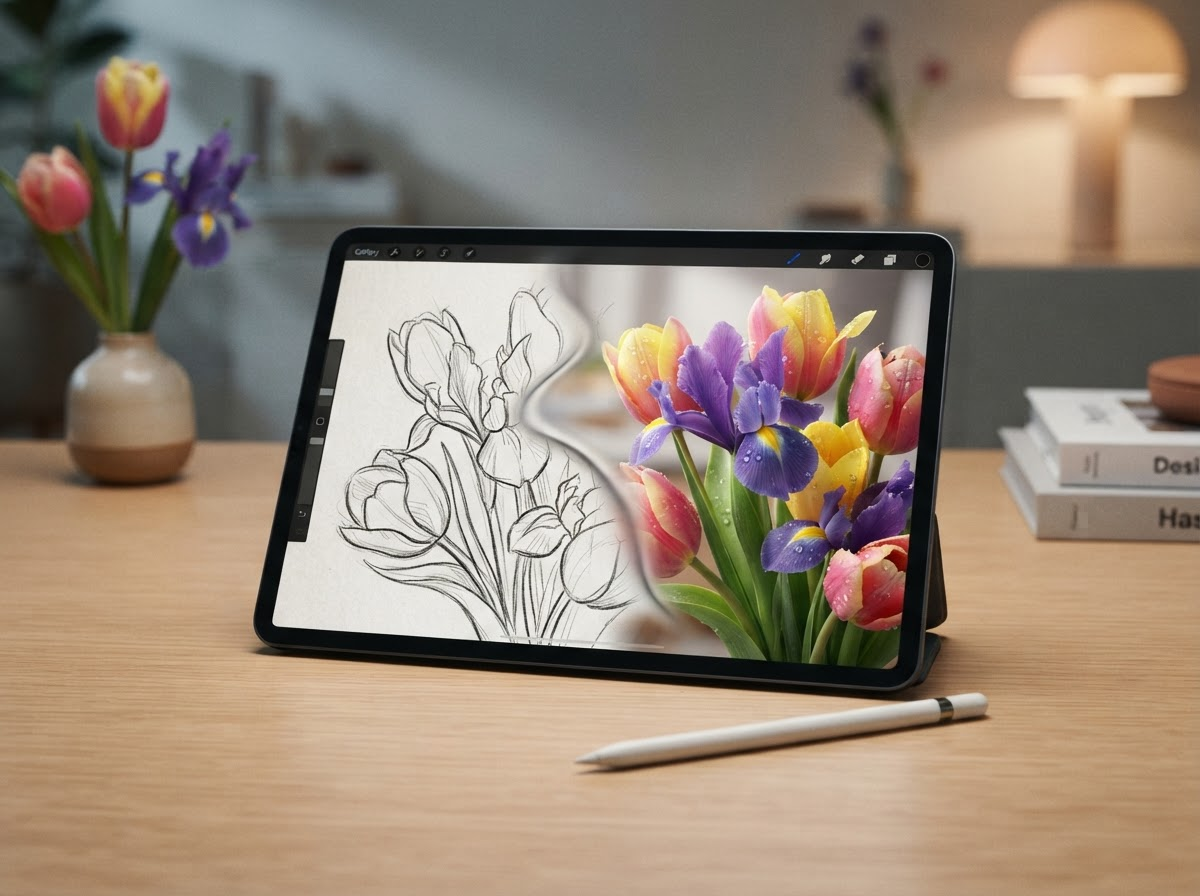
Petal Studio: How AI is Revolutionizing Floral Design Mockups
The role of software engineering is fundamentally shifting. Instead of spending countless hours writing boilerplate code, developers are increasingly stepping into the roles of architects, orchestrators, and system builders. Artificial intelligence is now handling the menial tasks, freeing creators to focus on how different technologies stack together to solve real-world problems.
This architectural mindset is exactly what led a solo entrepreneur and floral designer named Hannah to build Petal Studio. Operating a business that requires highly visual client proposals, Hannah faced a significant bottleneck: the slow, tedious process of creating accurate floral mockups. By designing a custom software architecture that blends her artistic vision with generative AI, she completely transformed her business operations. Here is how Petal Studio works and why it represents the future of AI-assisted design.
The Bottleneck of Traditional Workflows
To understand the problem Petal Studio solves, it helps to think of Hannah’s role as a “floral interior designer.” When a client wants to transform an event space with flowers, they need to visualize the end result before committing to a contract. Just as an interior designer provides 3D renderings of a living room, a floral designer must provide mockups of arches, centerpieces, and structural arrangements within a specific venue.
Historically, this mockup process has been incredibly time-consuming. The traditional workflow begins with a rough hand-drawn sketch. Because a simple sketch is rarely enough for a client to fully grasp the final aesthetic, the designer must then transition to complex photo-editing software like Photoshop. They spend hours manually cutting out flower images, adjusting lighting, and layering elements over a picture of the venue to create a realistic visualization. For a solo business owner, this manual digital labor is simply not scalable. It eats into the time that could be spent actually designing, sourcing materials, or growing the business.
The Fallacy of Raw LLM Prompts
A common question arises when discussing AI image generation: Why not just type a prompt directly into an AI tool like ChatGPT or Midjourney? Why go through the trouble of building a dedicated system like Petal Studio?
The answer lies in the need for professional precision. When you rely solely on direct text-to-image prompts, the AI acts as a black box. You might ask for a “rustic floral arch with white lilies,” but the resulting image rarely matches the exact structural dimensions or specific venue layout the client needs. It often requires an endless, frustrating loop of tweaking prompts to get something remotely usable.
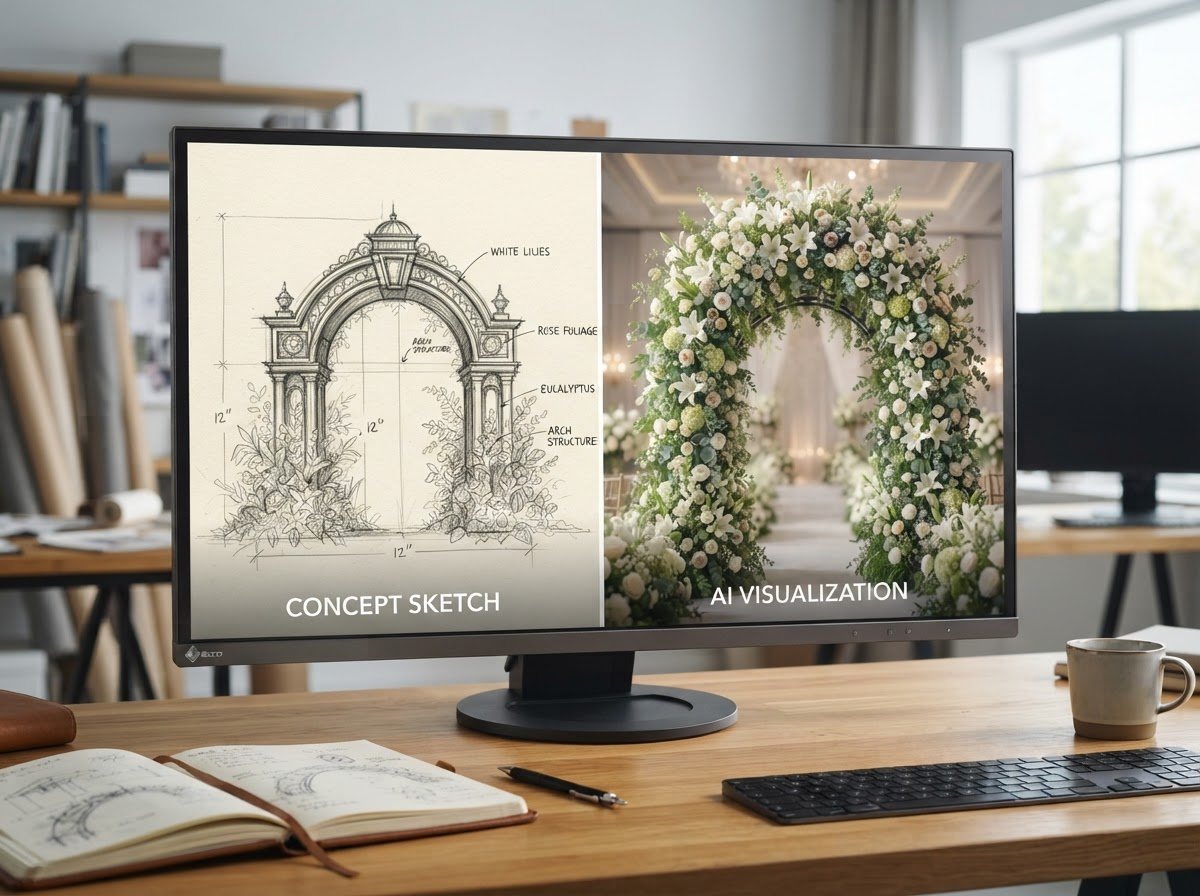
Hannah’s solution was to build a system based on a different philosophy: blending “Artistic Intention with Artificial Intelligence.” Instead of letting the AI guess what the design should look like from scratch, Petal Studio uses the designer’s exact sketch as the foundational blueprint. The AI is constrained and guided by human creativity, ensuring the output aligns perfectly with the original concept rather than a randomized digital hallucination.
Inside the Petal Studio Workflow
The technical workflow of Petal Studio is designed to be seamless, acting as a direct bridge between a raw idea and a client-ready presentation. The process is broken down into clear, manageable steps:
First, the user uploads a hand-drawn sketch of the floral arrangement and a reference photo of the venue where the arrangement will be placed. They can also optionally upload a mood board to establish a thematic baseline. Next, the user inputs specific style parameters—such as “minimal” or “rustic”—which act as preset prompts to guide the generation engine’s aesthetic tone.
Once the inputs are set, the system analyzes the sketch to identify the specific types of flowers drawn, such as irises, tulips, or lilies of the valley. If the system misses a detail, the user can manually add flower types, place them exactly where they belong on the canvas, and assign specific colors.
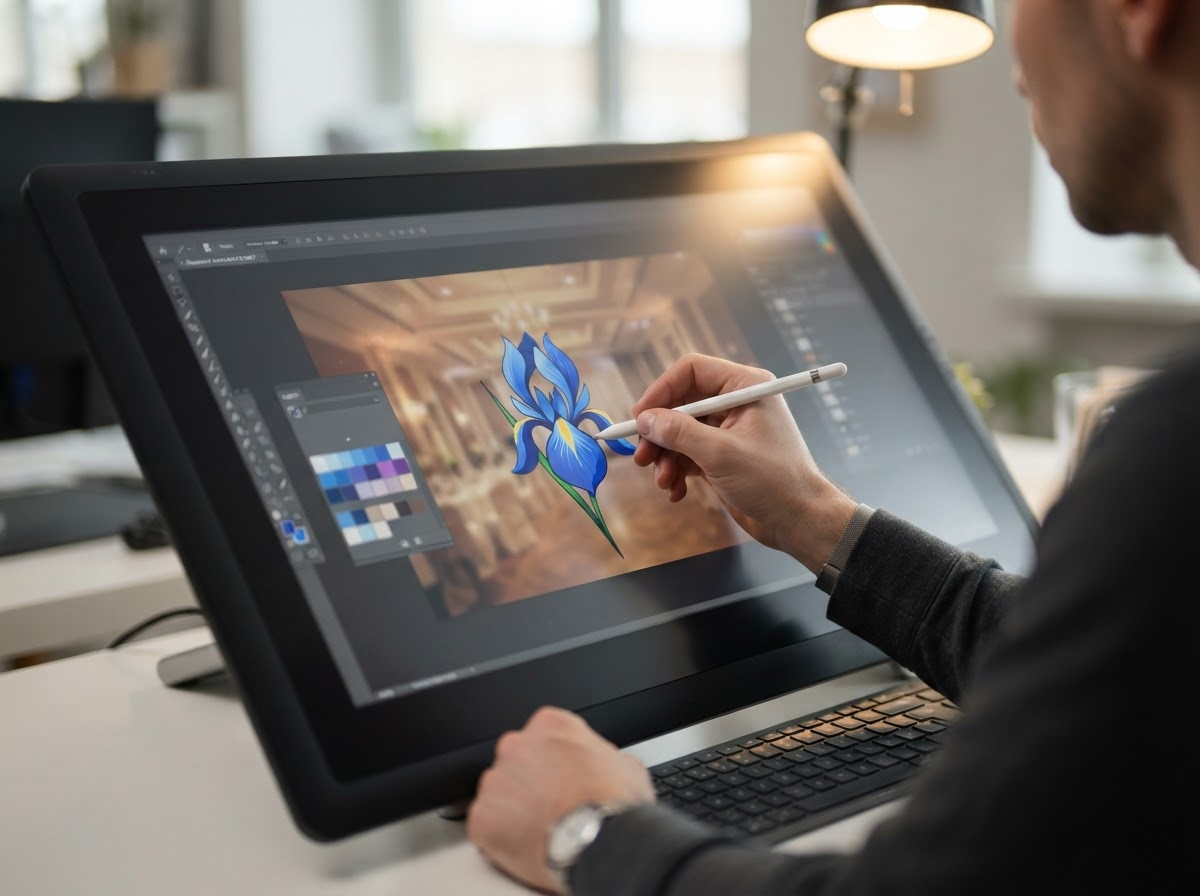
After confirming the layout, Petal Studio generates a highly realistic rendering of the sketch. Because the system operates using a layered, Photoshop-like interface, the generated floral structures can be dragged, resized, and repositioned over the venue background in real-time. Designers can even draw directly on the generated image to add new structural elements, such as winding branches or avant-garde shapes, and blend them seamlessly into the venue layer before downloading the final mockup.
The Tech Stack and Future Iterations
Under the hood, Petal Studio is a highly functional blend of accessible technologies. The frontend is built using Vanilla JavaScript, while the backend relies on NodeJS. The core generative capabilities are powered by OpenAI APIs, which handle both the vision-assisted flower identification and the final image generation.
Interestingly, the development process itself heavily utilized AI. Hannah initially built the foundational code using Claude, but eventually transitioned to using Cursor—an AI-powered code editor—to debug the system and implement specific business logic faster.
The architecture is also ripe for expansion. During a recent presentation of the software, peers suggested integrating node-based image compositing workflows, such as ComfyUI. This would allow for even greater precision using techniques like inpainting (altering a specific part of an image) and outpainting (expanding the borders of an image). Furthermore, while Petal Studio is currently an internal tool focused purely on visual mockups, future iterations could tie directly into inventory management—automatically calculating the required stock of red roses or white lilies needed to physically build the generated design.
Conclusion
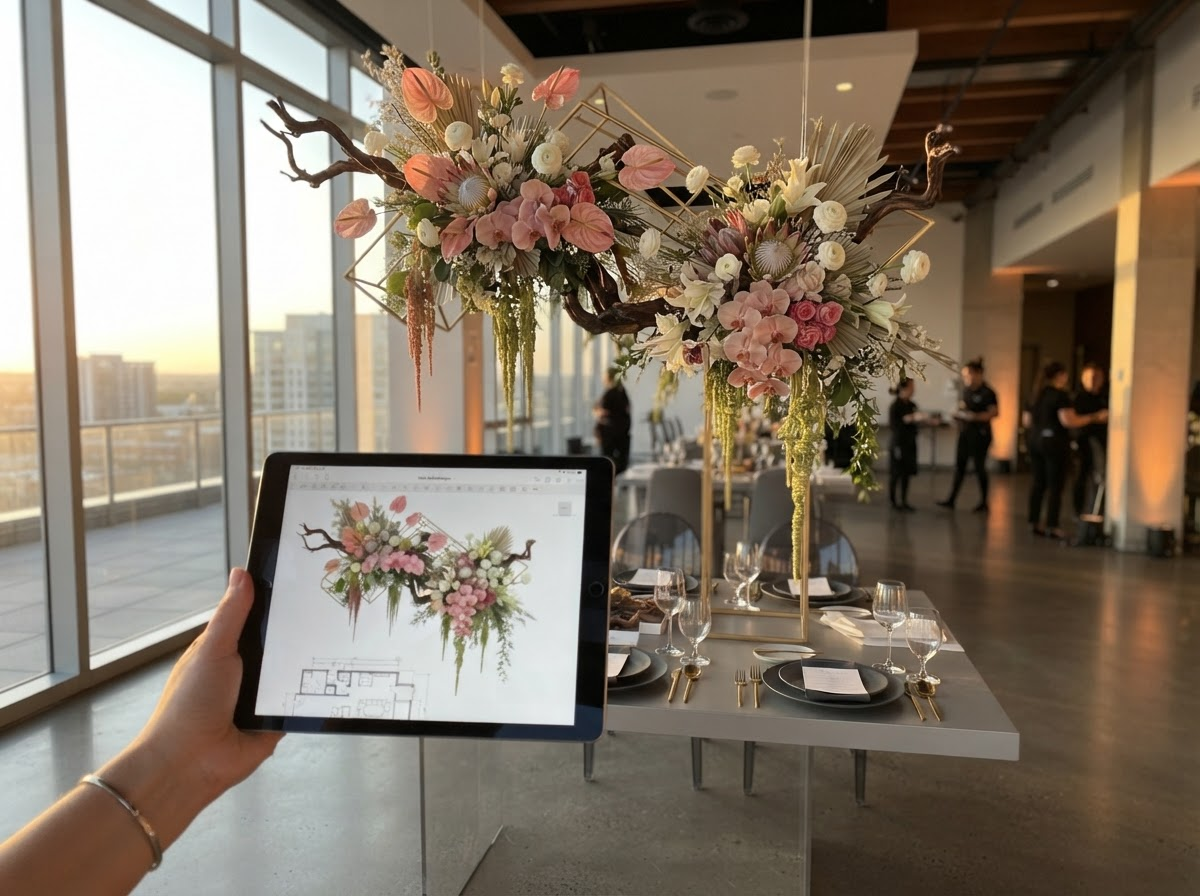
Petal Studio perfectly illustrates the massive productivity gains that occur when creators stop doing manual digital labor and start building automated architectures. By orchestrating a workflow that respects human artistic intention while leveraging the rapid generation capabilities of AI, Hannah eliminated a major business bottleneck. Ultimately, AI is not replacing the designer; it is empowering the designer to spend less time clicking around a screen and more time bringing beautiful, tangible creations to life.

Petal Studio: How AI is Revolutionizing Floral Design Mockups
The role of software engineering is fundamentally shifting. Instead of spending countless hours writing boilerplate code, developers are increasingly stepping into the roles of architects, orchestrators, and system builders. Artificial intelligence is now handling the menial tasks, freeing creators to focus on how different technologies stack together to solve real-world problems.
This architectural mindset is exactly what led a solo entrepreneur and floral designer named Hannah to build Petal Studio. Operating a business that requires highly visual client proposals, Hannah faced a significant bottleneck: the slow, tedious process of creating accurate floral mockups. By designing a custom software architecture that blends her artistic vision with generative AI, she completely transformed her business operations. Here is how Petal Studio works and why it represents the future of AI-assisted design.
The Bottleneck of Traditional Workflows
To understand the problem Petal Studio solves, it helps to think of Hannah’s role as a "floral interior designer." When a client wants to transform an event space with flowers, they need to visualize the end result before committing to a contract. Just as an interior designer provides 3D renderings of a living room, a floral designer must provide mockups of arches, centerpieces, and structural arrangements within a specific venue.
Historically, this mockup process has been incredibly time-consuming. The traditional workflow begins with a rough hand-drawn sketch. Because a simple sketch is rarely enough for a client to fully grasp the final aesthetic, the designer must then transition to complex photo-editing software like Photoshop. They spend hours manually cutting out flower images, adjusting lighting, and layering elements over a picture of the venue to create a realistic visualization. For a solo business owner, this manual digital labor is simply not scalable. It eats into the time that could be spent actually designing, sourcing materials, or growing the business.
The Fallacy of Raw LLM Prompts
A common question arises when discussing AI image generation: Why not just type a prompt directly into an AI tool like ChatGPT or Midjourney? Why go through the trouble of building a dedicated system like Petal Studio?
The answer lies in the need for professional precision. When you rely solely on direct text-to-image prompts, the AI acts as a black box. You might ask for a "rustic floral arch with white lilies," but the resulting image rarely matches the exact structural dimensions or specific venue layout the client needs. It often requires an endless, frustrating loop of tweaking prompts to get something remotely usable.
Hannah’s solution was to build a system based on a different philosophy: blending "Artistic Intention with Artificial Intelligence." Instead of letting the AI guess what the design should look like from scratch, Petal Studio uses the designer’s exact sketch as the foundational blueprint. The AI is constrained and guided by human creativity, ensuring the output aligns perfectly with the original concept rather than a randomized digital hallucination.
Inside the Petal Studio Workflow
The technical workflow of Petal Studio is designed to be seamless, acting as a direct bridge between a raw idea and a client-ready presentation. The process is broken down into clear, manageable steps:
First, the user uploads a hand-drawn sketch of the floral arrangement and a reference photo of the venue where the arrangement will be placed. They can also optionally upload a mood board to establish a thematic baseline. Next, the user inputs specific style parameters—such as "minimal" or "rustic"—which act as preset prompts to guide the generation engine's aesthetic tone.
Once the inputs are set, the system analyzes the sketch to identify the specific types of flowers drawn, such as irises, tulips, or lilies of the valley. If the system misses a detail, the user can manually add flower types, place them exactly where they belong on the canvas, and assign specific colors.
After confirming the layout, Petal Studio generates a highly realistic rendering of the sketch. Because the system operates using a layered, Photoshop-like interface, the generated floral structures can be dragged, resized, and repositioned over the venue background in real-time. Designers can even draw directly on the generated image to add new structural elements, such as winding branches or avant-garde shapes, and blend them seamlessly into the venue layer before downloading the final mockup.
The Tech Stack and Future Iterations
Under the hood, Petal Studio is a highly functional blend of accessible technologies. The frontend is built using Vanilla JavaScript, while the backend relies on NodeJS. The core generative capabilities are powered by OpenAI APIs, which handle both the vision-assisted flower identification and the final image generation.
Interestingly, the development process itself heavily utilized AI. Hannah initially built the foundational code using Claude, but eventually transitioned to using Cursor—an AI-powered code editor—to debug the system and implement specific business logic faster.
The architecture is also ripe for expansion. During a recent presentation of the software, peers suggested integrating node-based image compositing workflows, such as ComfyUI. This would allow for even greater precision using techniques like inpainting (altering a specific part of an image) and outpainting (expanding the borders of an image). Furthermore, while Petal Studio is currently an internal tool focused purely on visual mockups, future iterations could tie directly into inventory management—automatically calculating the required stock of red roses or white lilies needed to physically build the generated design.
Conclusion
Petal Studio perfectly illustrates the massive productivity gains that occur when creators stop doing manual digital labor and start building automated architectures. By orchestrating a workflow that respects human artistic intention while leveraging the rapid generation capabilities of AI, Hannah eliminated a major business bottleneck. Ultimately, AI is not replacing the designer; it is empowering the designer to spend less time clicking around a screen and more time bringing beautiful, tangible creations to life.